

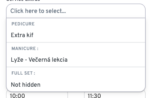

Service extras – Extra categories and copy function

Description
LatePoint – Service Extra Categories extends the LatePoint booking plugin by letting you organize service extras into named categories.
Features:
Category Management — Create, edit, reorder, and delete categories for service extras from a dedicated admin page under the Services menu.
Category Assignment — Assign any service extra to a category directly from the extra’s edit form via a dropdown selector.
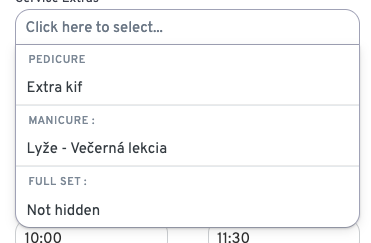
Frontend Grouping — Categories are automatically injected into the booking form’s service extras step, visually grouping extras for a cleaner customer experience.
Admin & Frontend Assets — Includes dedicated CSS and JS for both the admin interface and the public-facing booking widget.
Copy & Duplicate Tools — Provides utilities to copy services to service extras and duplicate existing extras.
License Management — Built-in license activation and validation to control access.
How It Works:
Install and activate the plugin (requires LatePoint).
Activate your license key.
Navigate to Services → Extra Categories to create your categories.
Edit any service extra — a new category dropdown appears at the bottom of the form.
On the frontend booking form, extras are automatically grouped under their assigned category headings.